macOS notch control surface // live agent ops

DON'T BABYSIT TERMINAL TABS.

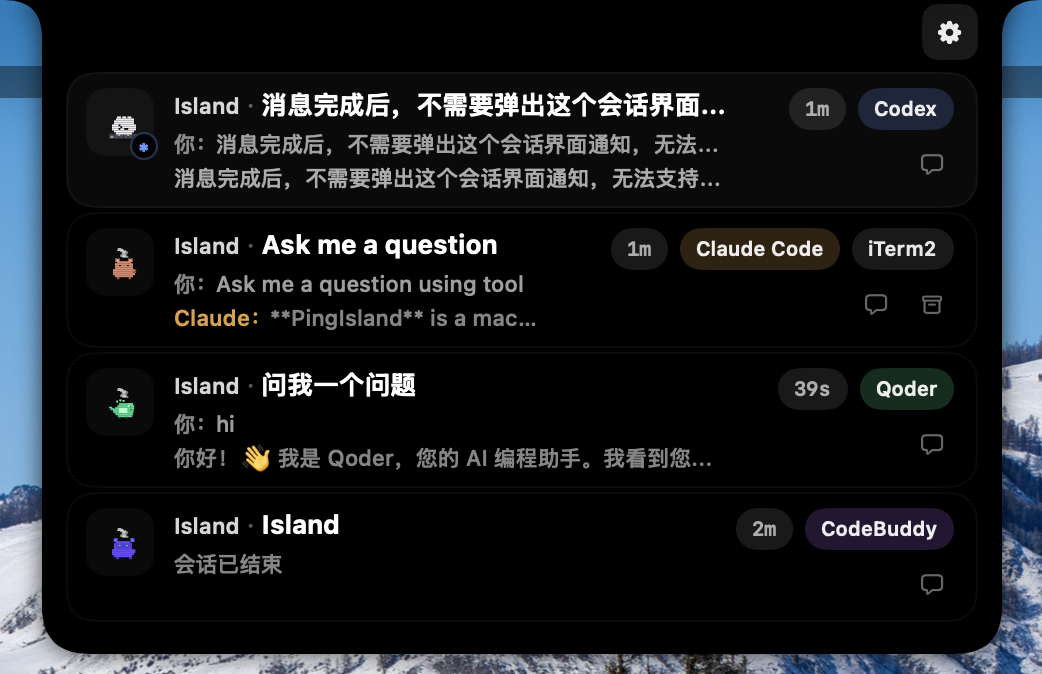
Ping Island turns Claude Code, Codex, Gemini CLI, OpenCode, Cursor, Qoder, CodeBuddy, and Copilot interruptions into a native Dynamic Island-style panel with approvals, replies, completions, and one-click return to the right terminal or IDE.

> attention.required // surfaced in the notch

> approve, deny, reply // without tab hunting

> jump back to iTerm2, Ghostty, tmux, VS Code

> if this saves your flow, star the repo

LIVE PREVIEW
Ping Island notch panel preview
CLAUDE CODE
CODEX
GEMINI CLI
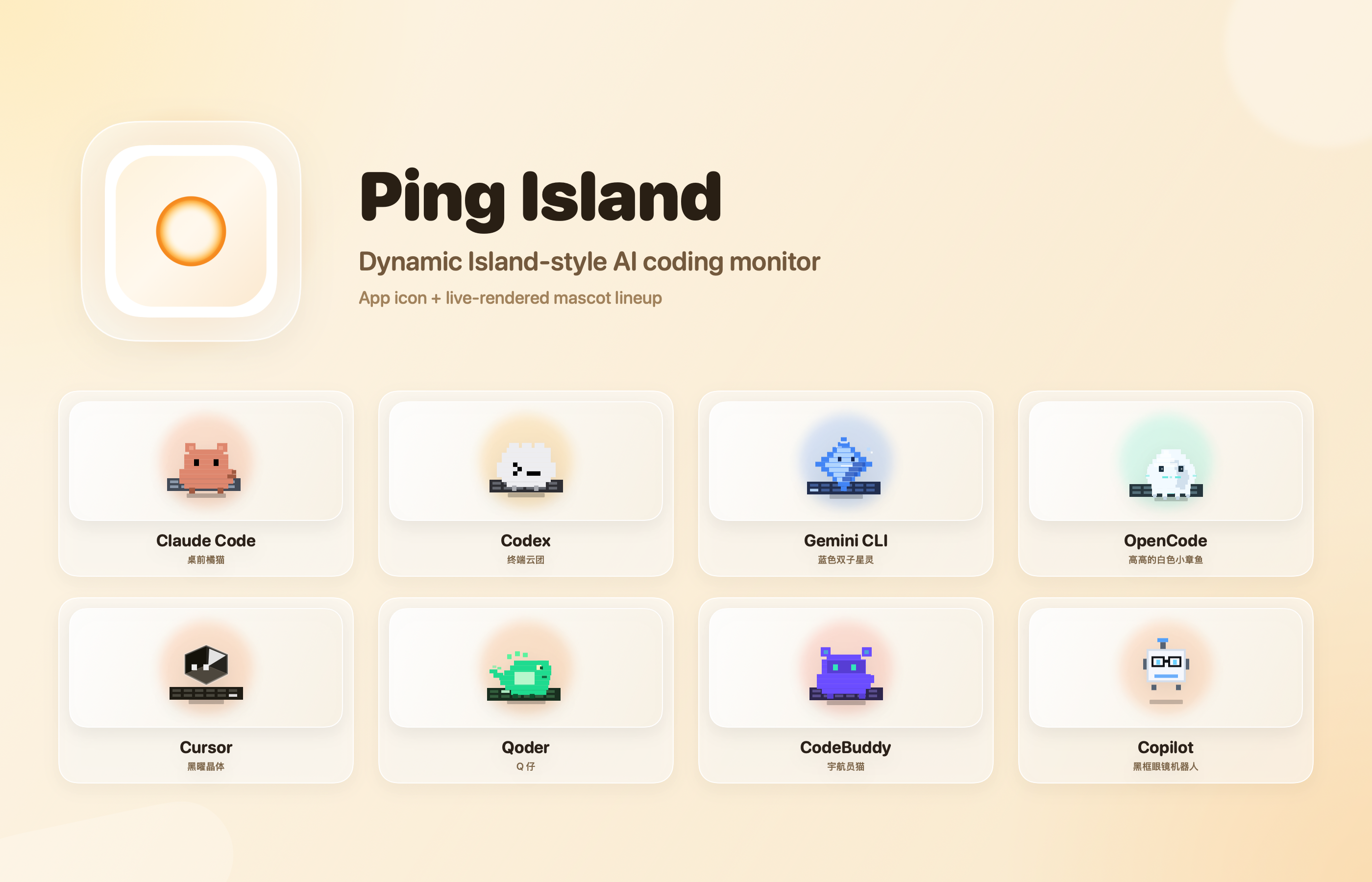
Claude mascot Codex mascot Gemini mascot OpenCode mascot Cursor mascot Qoder mascot CodeBuddy mascot Copilot mascot
8+ Client families tracked in one surface
macOS 14+ Native menu bar and notch-first experience
Hooks + App Server Claude-style hooks, Codex live threads, IDE routes
One-click return Back to the exact terminal, tmux pane, or IDE window

system modules

Built for the interruptions that actually break flow.

01 // attention-first UI

Stay compact until a session demands a decision.

The UI remains quiet until approvals, follow-up questions, review prompts, completions, or failures need a real response.

02 // act from the notch

Approve tools, deny requests, and answer without context loss.

Ping Island keeps the action loop inside a native surface so you do not have to chase a hidden terminal tab to unblock the run.

03 // focus return

Jump to the exact workspace that spawned the interruption.

iTerm2, Ghostty, Terminal.app, tmux panes, and VS Code-style IDEs all route back through one control layer.

04 // codex aware

Works across Codex hooks, app-server threads, and rollout fallbacks.

Codex is not bolted on. Ping Island monitors both hook traffic and live app-server state so active sessions stay coherent.

05 // custom signals

Swap sounds, mascots, and per-client personality.

Tune the app to your own workflow with event-specific sounds, imported packs, and animated mascot overrides.

06 // open source

Independent, native, and transparent.

Ping Island is an open-source alternative for people who want a local macOS control surface instead of another web dashboard.

terminal behavior
Interrupts belong in the notch, not buried in a forgotten pane.

$ session.watch --provider codex --ide cursor

$ attention popup --reason "tool approval required"

$ notch.render --mode intervention

$ focus.return --target tmux:pane-3

$ session.resume --status active

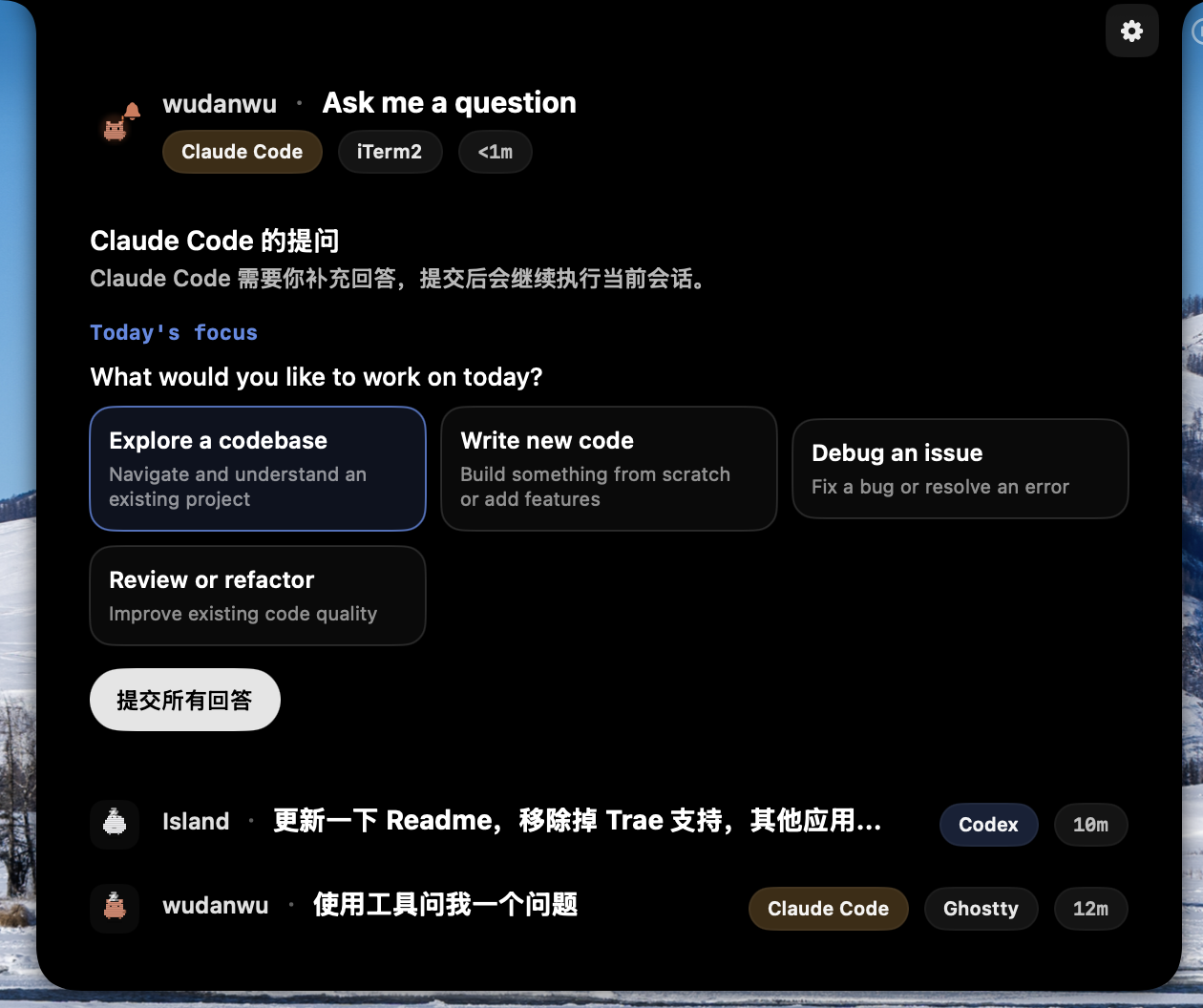
Ping Island question panel preview

native intervention layer

When the run asks a question, you answer from the menu bar.

Approvals, input requests, and follow-ups surface with enough context to act immediately, then route you back to the right workspace only when you need full-screen control.

supported clients
One island for the whole agent stack.

Ping Island supported tools poster
Claude Code Codex Gemini CLI OpenCode Cursor Qoder CodeBuddy GitHub Copilot VS Code-compatible IDE routes tmux-aware terminal focus

deployment path

Install fast. Monitor everything. Stop tab babysitting.

release path

Download the latest DMG.

  1. Grab the newest package from GitHub Releases.
  2. Move Ping Island.app into Applications.
  3. Launch and enable the clients you want to monitor.
Open Releases

source path

Build it yourself if you want full control.

git clone https://github.com/erha19/ping-island.git
cd ping-island
xcodebuild -project PingIsland.xcodeproj \
  -scheme PingIsland \
  -configuration Release build
View Source

support the project

If Ping Island sharpens your coding loop, star the repo.

The project is open source, native, and intentionally focused on the control moments that break concentration. A GitHub star helps more people discover it.